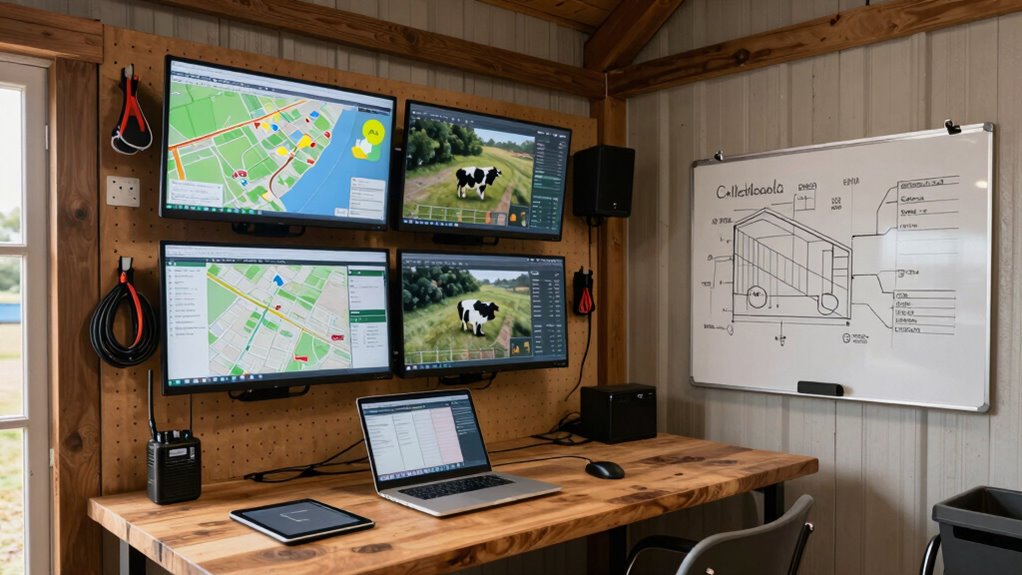

To set up a farm command center in your house or shop, choose a space with good lighting, ventilation, and power sources. Install a sturdy desk with multiple screens for monitoring weather stations, farm data, and equipment. Organize tools with labeled storage and keep essential items within reach. Add whiteboards or digital planners to track tasks, and guarantee reliable internet for seamless updates. Keep systems well-maintained to stay efficient—learn more on how to optimize your setup as you go.

Get garden gear delivered free — and shop member deals
- Fast, free delivery on millions of items
- Access to Prime Big Deal Days deals on October 6–7
- Prime Video, Amazon Music and more included
Key Takeaways
- Choose a well-lit, ventilated space with reliable internet and power sources for optimal system performance.
- Designate dedicated areas for equipment storage, labeling tools, and organizing supplies for quick access.
- Install multiple screens and a sturdy desk to monitor weather data, farm activities, and manage digital planners.
- Integrate real-time weather stations and ensure regular calibration, updates, and data flow for accurate monitoring.
- Incorporate whiteboards or digital tools for task tracking and maintain system maintenance for seamless operation.
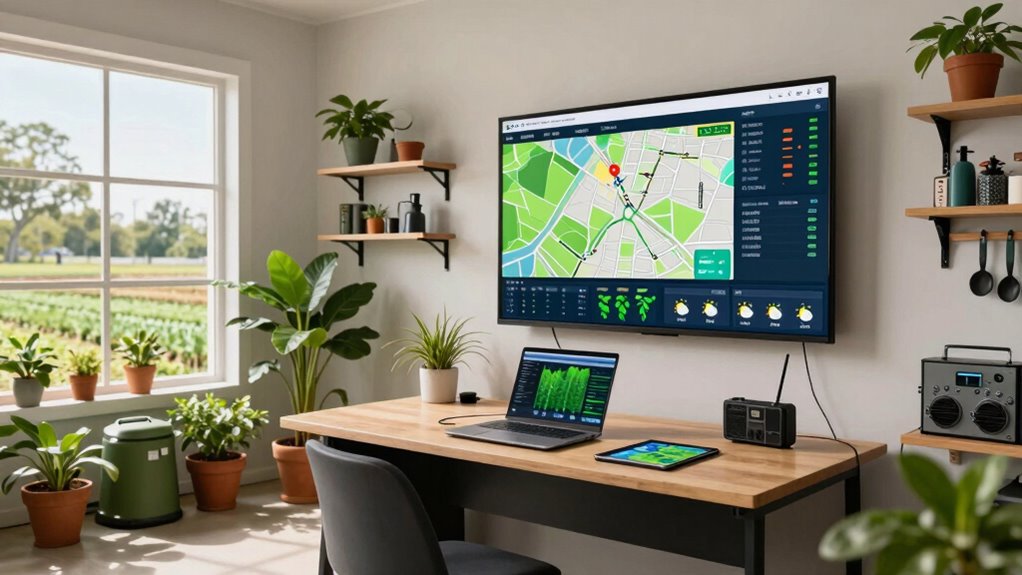
Have you considered how a well-organized farm command center can boost your operations? Setting up a dedicated space in your house or shop can streamline your daily tasks, improve decision-making, and help you respond swiftly to changing conditions. The foundation of an effective command center starts with integrating essential tools like weather monitoring systems and guaranteeing your equipment is well-organized. When you have real-time weather data at your fingertips, you can better plan planting, watering, or harvesting activities, avoiding weather-related setbacks. Installing reliable weather stations that provide updates on temperature, humidity, wind speed, and rainfall allows you to anticipate changes and adapt your plans accordingly.
A well-organized command center with real-time weather data enhances farm efficiency and decision-making.
Once you have the weather monitoring tools in place, focus on equipment organization. A cluttered space hampers efficiency and can even lead to safety hazards. Designate specific areas for different types of equipment, label storage containers, and utilize racks or shelves to keep everything accessible. Keep frequently used tools within arm’s reach, and store less essential items out of the way. This setup minimizes downtime spent searching for equipment and helps you maintain a smooth workflow, especially during busy seasons. Incorporating digital dashboards that centralize data from your weather stations, irrigation controllers, and other farm management tools can further enhance your operations. These dashboards should be easy to read and update, giving you a thorough view of your farm’s status at a glance. Additionally, integrating farm management tools can help automate some routine tasks, freeing up your time for more strategic decisions. Having a reliable internet connection**** is crucial to ensure continuous data flow and remote access to your systems, especially during critical moments.
The physical setup of your command center matters just as much as the technology you install. Choose a space with good lighting and ventilation to keep you alert and comfortable. Install a sturdy desk or workstation that can accommodate multiple screens if needed, along with a computer or tablet dedicated to farm management. Consider adding a whiteboard or digital planner to track daily tasks, upcoming maintenance, or weather alerts. Power sources and backup options, like uninterruptible power supplies, ensure your systems stay online during outages. Make sure your internet connection is strong and reliable, as many monitoring and management tools depend on cloud connectivity or real-time data transfer. Ensuring your weather monitoring systems are properly calibrated and maintained is also essential for accurate data collection. Regularly updating your software and firmware helps prevent glitches and keeps your system running smoothly.
In short, creating a farm command center involves more than just gathering equipment. It demands thoughtful planning around weather monitoring and equipment organization to make your farm more responsive and efficient. When everything is in its place and data flows seamlessly, you’ll find it easier to make informed decisions, respond quickly to challenges, and ultimately improve your farm’s productivity. This dedicated space becomes your command hub, empowering you to manage your farm with confidence and precision.
farm weather station with digital display
As an affiliate, we earn on qualifying purchases.
As an affiliate, we earn on qualifying purchases.
Frequently Asked Questions
What Is the Ideal Size for a Farm Command Center?
The ideal size for a farm command center depends on your operation, but generally, it should comfortably accommodate remote monitoring and data integration equipment. Aim for a space of at least 8×10 feet, giving you enough room for screens, control panels, and workspace. You want it compact enough to stay organized, yet spacious enough to handle multiple monitors and tools that help you oversee your farm efficiently.
How Much Does It Cost to Set up a Basic Farm Command Center?
Setting up a basic farm command center typically costs between $500 and $2,000, depending on your equipment choices. To guarantee you stay within your budget, do a thorough cost analysis and plan your expenses carefully. Focus on essential items like a computer, monitors, network setup, and basic sensors. Budget planning helps you prioritize necessary technology and avoid overspending, making your farm operation more efficient without breaking the bank.
Can I Automate Farm Equipment From the Command Center?
You can absolutely automate farm equipment from your command center. Coincidentally, integrating drone technology and irrigation automation makes this even easier. With smart systems, you can control drones for crop surveillance and automate irrigation schedules, saving time and resources. By linking equipment to your command center, you get real-time updates and remote control, streamlining farm management and boosting productivity effortlessly.
What Security Measures Are Recommended for a Farm Command Center?
You should install surveillance cameras around your farm command center to monitor activity and deter intruders. Use access control systems, like keycards or biometric scanners, to restrict entry and guarantee only authorized personnel can access sensitive equipment. Regularly update your security software and change passwords. Combining these measures helps protect your farm data and equipment, giving you peace of mind and maintaining operational safety.
How Do I Troubleshoot Connectivity Issues in the Command Center?
To troubleshoot connectivity issues, start by checking for wireless interference from nearby devices like microwaves or cordless phones. Make certain your router is placed centrally and away from obstructions. Test your internet connection with a device to rule out service outages. Also, verify your power backup system is functioning properly so your command center stays connected during outages. Restart your router and devices if problems persist, and update firmware if necessary.
Conclusion
Now that you’ve set up your farm command center, you’re not just managing a farm—you’re orchestrating a symphony of productivity. With every device connected and every system streamlined, you’re empowered to respond swiftly and efficiently. Think of this command center as the beating heart of your farm, pulsing with energy and purpose. As the conductor of this lively orchestra, you’re ready to lead your farm to success—because a well-organized command center turns your farm’s potential into reality.
Halloween Picks
halloween
As an affiliate, we earn on qualifying purchases.