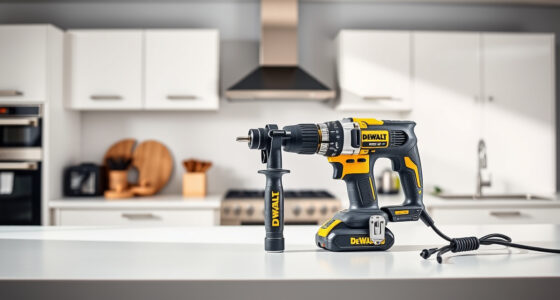
Maintaining your DEWALT power tools is essential for keeping them in top condition and extending their lifespan. Proper care involves regular cleaning, inspecting parts, and troubleshooting common issues. This guide provides clear, step-by-step instructions to help you perform maintenance safely and effectively.

Get garden gear delivered free with Prime
- Fast, free delivery on millions of items
- Prime Video, Amazon Music and more included
- Member-only deals all year
Whether you own a cordless drill, impact driver, or battery, these tips will help you troubleshoot and resolve typical problems, ensuring your tools remain reliable for all your projects.
Key Takeaways
| Regular Cleaning | Keep tools free of dust and debris to prevent malfunctions. |
| Battery Care | Properly charge, store, and replace batteries for optimal performance. |
| Inspect & Replace Parts | Regularly check for worn or damaged components and replace as needed. |
| Troubleshooting Basics | Identify common issues like power loss or overheating early. |
Cleaning Your Power Tools
- Unplug or remove batteries before cleaning to ensure safety.
- Use a dry or slightly damp cloth to wipe down the exterior, avoiding liquids near vents or switches.
- Clear dust from vents, switches, and motor housing with compressed air.
- Inspect the chuck and bits for debris and clean with a brush or cloth.
Inspecting and Replacing Batteries
- Check the battery’s LED indicator for charge status; recharge if low.
- Remove batteries from tools after use and store in a cool, dry place.
- Look for signs of damage or swelling; replace if needed.
- Use only DEWALT-approved batteries and chargers for safety and compatibility.
Troubleshooting Common Issues
- Tool Won’t Turn On: Ensure batteries are charged and properly seated. Check for tripped switches or safety features engaged.
- Overheating: Allow the tool to cool down, clean vents, and avoid prolonged use in demanding conditions.
- Reduced Power: Inspect and replace worn bits or brushes if applicable, and check battery charge levels.
Replacing Worn Parts
- Identify worn parts such as brushes or bits.
- Follow the manufacturer’s instructions for removing and installing replacements.
- Use genuine DEWALT parts to ensure compatibility and safety.
- Regularly check for loose screws or components and tighten as needed.
Safety Tips & Best Practices
- Always unplug or remove batteries before performing maintenance.
- Wear safety glasses and gloves when cleaning or inspecting parts.
- Avoid using damaged tools; replace or repair promptly.
- Keep your workspace clean and well-lit to prevent accidents.
The Products in This Guide

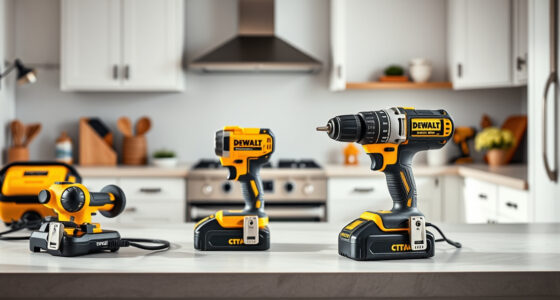
DEWALT 20V MAX Cordless Drill and Impact Driver
- ✔ Includes: 2 batteries, charger, bag
- ✔ Power Source: Cordless
- ✔ Max Speed: Variable speed trigger

DEWALT Drill Bit Set
- ✔ Compatibility: Fits standard drills
- ✔ Ease of Use: High
- ✔ Rust Resistance: Yes
DEWALT 20V MAX Cordless Drill and Impact Driver
The DEWALT 20V MAX Cordless Drill and Impact Driver combo offers a compact, lightweight design with ergonomic comfort, making it ideal for tight spaces and extended use. Its brushless motors ensure durability and efficiency, while the LED light enhances visibility.
Pros:
- Lightweight and compact
- Ergonomic design for comfort
- Includes 2 batteries and charger
- Bright LED for dark spaces
Cons:
- Battery life may vary with heavy use
- Requires proper maintenance for longevity
Best for: DIY enthusiasts and professional contractors needing reliable cordless power.
Not ideal for: Heavy-duty industrial applications requiring more robust tools.
Bottom line: A versatile, lightweight combo perfect for a variety of projects.
DEWALT Drill Bit Set
This DEWALT 14-piece drill bit set with a 135-degree split point tip offers durability and precision, suitable for plastic, wood, and metal. Its design reduces walking and makes drilling easier.
Pros:
- Durable High Speed Steel
- Includes a variety of sizes
- Corrosion-resistant coating
- Easy to identify sizes
Cons:
- No carrying case included
- Limited to standard applications
Best for: Home DIYers and professionals needing reliable bits.
Not ideal for: Heavy industrial drilling without specialized bits.
Bottom line: A versatile set that covers most common drilling needs with durability.
Frequently Asked Questions
How often should I clean my DEWALT power tools?
Clean your tools after each use, especially removing dust from vents and switches, to prevent overheating and ensure smooth operation.
What type of batteries are compatible with my DEWALT tools?
Use DEWALT 20V MAX Lithium-Ion batteries, such as the 5Ah DCB205-2, for optimal performance and compatibility.
How can I troubleshoot if my tool isn’t turning on?
Check the battery charge level, ensure it is properly seated, and inspect for any safety switches or trigger issues. If problems persist, replace the battery or seek professional repair.
Is it safe to use my power tools in dusty environments?
Yes, but ensure vents are cleaned regularly, and avoid excessive dust accumulation. Use compressed air carefully to clear vents and maintain optimal cooling.
Keep Your DEWALT Tools Performing at Their Best
Regular maintenance and troubleshooting are key to ensuring your DEWALT power tools remain reliable and efficient. By following these practical steps, you can prevent issues and extend the lifespan of your tools, making every project smoother and safer.
Affiliate disclosure: As an Amazon Associate we earn from qualifying purchases. Prices and availability are accurate as of the time of publishing.
Halloween Picks

12-Foot Inflatable Pumpkin Halloween Archway with LED Lights

MGparty 14.5 ft Halloween Inflatable Walk-In Pumpkin House with LED Lights

HOPOCO Halloween Pumpkin Fog Machine with 12 LED Colors & Remote Control
As an affiliate, we earn on qualifying purchases.